How Applicant Tracking Systems Work and What It Means for You
An applicant tracking system is mostly a database with a workflow on top, operated by people. This post explains what happens to your application after you click Apply and which formatting and wording choices follow from it.

Steven Schulz
· 7 min read
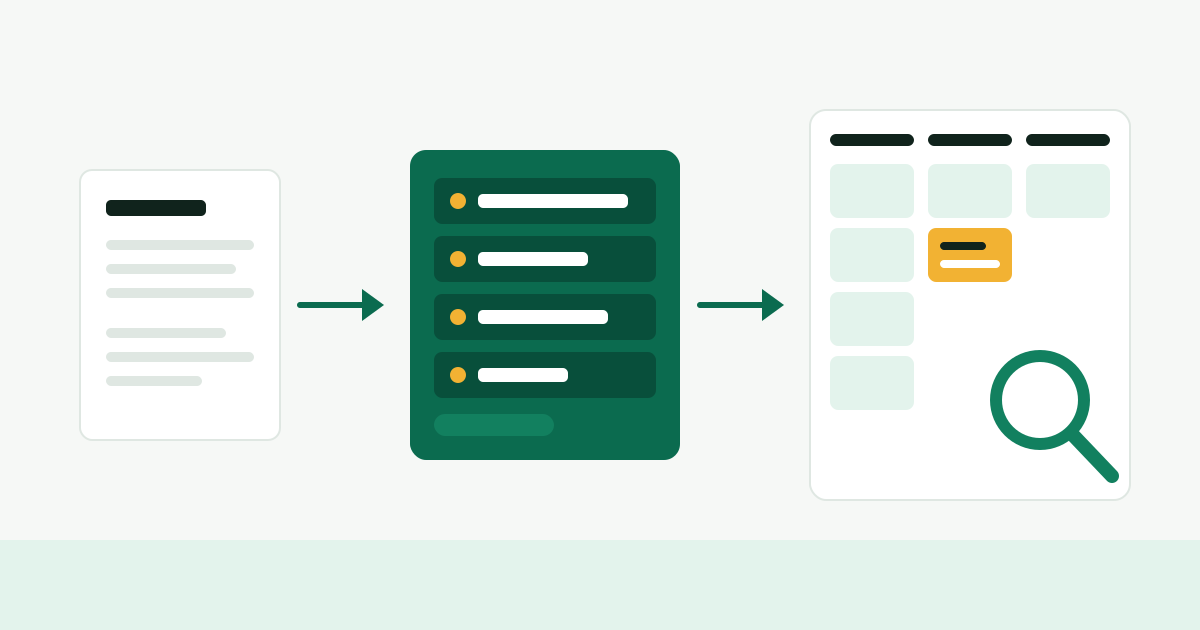
An applicant tracking system, usually shortened to ATS, is the software an employer uses to collect applications and move candidates through hiring stages. It is closer to a filing cabinet with a workflow than to a judge. Understanding the plain mechanics is more useful than any trick for "beating" it, because most of what decides your application is still a person reading and searching.
What an ATS is for
Think about a 200-person software company with fifteen open roles. Each role gets applications from the careers page, referrals and recruiters' own outreach. Several people are involved in each hire: a recruiter, a hiring manager, four or five interviewers, someone in finance who approves the offer. Without a shared system, that is thousands of emails and a spreadsheet nobody trusts.
The ATS exists to solve that record-keeping problem. In general, such a system does these things:
- Publishes the job posting to the employer's careers page
- Receives the application form and attached files
- Stores each candidate as a record linked to one or more openings
- Lets recruiters move candidates between stages such as applied, phone screen, interview, offer, hired or rejected
- Schedules interviews and collects interviewer feedback
- Sends template emails, including rejections
- Keeps records the employer needs for reporting and compliance
The careers pages this site reads are, in many cases, the public front end of such a system. When you press Apply on a listing from the job list you land on the employer's own form, and what you submit goes straight into their records.
What happens after you click Apply
The sequence varies by product and by how each employer has configured it, but the general shape is consistent.
1. The form is stored
Your answers to the form fields are saved as structured data: name, email, location, answers to screening questions, the source you came from. These fields are the easiest things for a recruiter to sort and filter by, which is why they deserve as much care as the resume itself.
2. The resume is parsed
Most systems try to read your resume file and extract text into fields: employers, titles, dates, education, skills. This is called parsing. It works well on plainly formatted documents and less well on unusual layouts. Many forms show you the parsed result and ask you to correct it. Take that step seriously. If your last job title landed in the "school" field, fix it there, because the parsed fields are what search runs against.
The original file is normally kept as well. When a recruiter opens your record they can usually view the resume as you uploaded it. Parsing errors therefore rarely make you invisible to a person who opens your record. What they can do is make you harder to find by search.
3. Screening questions are evaluated
Employers can attach questions to the form: "Are you authorized to work in the United States?", "Do you live in one of the following states?", "Do you hold an active RN license?" Some of these can be set up as knockout questions, where a particular answer marks the application as not meeting a requirement or moves it to a rejected stage.
This is the most clearly automated decision in a typical setup, and it is a rule the employer wrote, not a verdict on your resume. For remote roles the state question matters most; the background is in why remote jobs are limited to certain states. Answer these questions truthfully. A false answer surfaces later, at the latest during background checks and I-9 verification.
4. A person reviews, searches or both
For most openings, a recruiter or hiring manager then works through the applicant list. How they do it depends on volume. With sixty applicants, someone may open every record. With many hundreds, which is common for remote roles, they are more likely to filter by screening answers and location, search for specific terms, sort by date, and read until they have enough strong candidates for the first round of calls.
Some systems also offer a match score or a ranked list that compares resumes against the job description, and some vendors now sell AI features that summarize or rank candidates. Whether an employer has such features, switches them on, or pays attention to them is not something you can tell from outside. How much weight they carry varies from one company to the next, and you should be skeptical of anyone who claims to know the answer for employers in general.
The claim that software rejects most resumes
You will often read that some large share of resumes is rejected by the ATS before a human sees it, usually with a precise-sounding percentage attached. Treat those figures with caution. They tend to come from companies selling resume services, and they are rarely traceable to a study you can check.
What can be said from how these systems generally work:
- Knockout questions can reject automatically, when the employer sets them up that way.
- An application can go unread because the role was filled, paused, or flooded before anyone reached it. That is a volume and timing problem, not a software verdict.
- A resume that parses badly or uses different words from the posting is less likely to appear in a recruiter's search.
- A rejection email arriving at an odd hour or weeks later is usually a person closing out a stage in bulk, with the system sending the template.
None of this is comforting if you were qualified and heard nothing. But it changes what you should do. The goal is not to defeat a robot. It is to be easy to find and quick to understand for a busy person using a search box.
Formatting that parses cleanly
You do not need a special "ATS resume." You need a plain one.
| Do | Avoid |
|---|---|
| Single column, top to bottom | Two-column and sidebar templates |
| Standard headings: Experience, Education, Skills | Clever headings like "My Journey" |
| Text you can select and copy | Text inside images, charts or skill meters |
| Contact details in the body of the page | Contact details only in the header or footer area |
| Dates in one consistent format | Mixed date formats and unexplained gaps in layout |
| PDF exported from a word processor, or .docx | Scanned PDFs, design-tool exports, uncommon file types |
If the form names accepted file types, follow it. A quick test for any file: select all the text, copy it, and paste it into a plain text editor. If it comes out in a sensible order, a parser will most likely manage too. If the columns interleave or the text is missing, fix the layout.
Wording that gets found
Search in an ATS is, in general, text search over your record. So the practical question is which words a recruiter would type.
- Use the posting's terms for things you have really done. If the posting says "customer success" and you write "client happiness," you are describing the same work in words nobody searches for.
- Spell out and abbreviate once. "Search engine optimization (SEO)", "Certified Public Accountant (CPA)". Then either form matches.
- Put skills in context. A skills line helps search; a bullet that shows the skill in use helps the reader who opens your record. Do both.
- Use a recognizable title. If your employer called you "Member of Technical Staff III" and the market calls it backend engineer, add the common title in your summary line.
Do not paste the job description into your resume in white text, and do not list skills you cannot discuss. Hidden text becomes visible in the parsed view, and a recruiter who notices it will stop reading. The broader advice on what to adapt is in a resume for remote jobs.
Rules that apply to screening tools
Automated screening does not sit outside employment law. The EEOC's guidance on employment tests and selection procedures explains that Title VII, the Americans with Disabilities Act and the Age Discrimination in Employment Act apply to the selection procedures an employer uses, including procedures that look neutral but disproportionately exclude a protected group without being job-related.
Some jurisdictions have added specific rules. New York City, for example, requires employers that use an automated employment decision tool to have had a bias audit of the tool within the past year, publish information about the audit, and give candidates notice; the city's consumer and worker protection department has enforced that rule since July 2023. Other states and cities have passed or are considering their own rules, and as of late 2026 this area is still changing. If you believe a screening tool treated you unlawfully, the EEOC or your state's fair employment agency is the place to ask; this post is general information, not legal advice.
If you need an accommodation to complete an application or an assessment, ask the employer's recruiting contact. Careers pages usually list an address for that purpose.
What to do next
- Run the copy-and-paste test on your resume file and fix anything that comes out scrambled.
- On your next application, read every parsed field the form shows you and correct it.
- Answer screening questions accurately, and skip postings where you do not meet a stated hard requirement such as state of residence.
- Apply early in a posting's life when you can. Being in the first batch a recruiter reads matters more than any formatting detail.
- Apply on the employer's own site, then spend your remaining energy on the human side: a referral, a short cover letter where it helps, and research on the company so the first call goes well.